Learn

How do I know if my solar battery is fully charged?
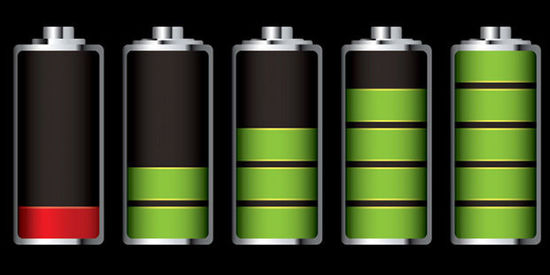
This article explains several methods to check if a solar battery is fully charged, including checking the battery's voltage, looking at the charge controller's LED lights, and using the display screen on the charge controller. While checking the battery's voltage is a simple method, it may not always be accurate, and relying on the charge controller's LED lights or display screen is generally more reliable. Regularly monitoring the charging status of your solar battery is important to ensure its longevity and maximize the benefits of your solar power system.

How do I know if my solar battery is fully charged

Solar batteries are an essential part of any solar power system, storing the excess energy generated by solar panels during the day for use at night or during cloudy weather. But how do you know if your solar battery is fully charged?


The simplest way to determine if your solar battery is fully charged is to check the battery's voltage. A fully charged 12-volt battery should read about 12.7 volts, while a fully charged 24-volt battery should read around 25.4 volts. You can use a multimeter, a device that measures voltage, to check the voltage of your solar battery.


However, checking the voltage of your solar battery is not always a foolproof method of determining if it is fully charged. For example, if your battery has been sitting idle for a while, the voltage may read higher than it actually is, giving you a false reading of a fully charged battery.


Another way to check if your solar battery is fully charged is to look at the charge controller's LED lights. A charge controller is a device that regulates the charging of your solar battery to prevent overcharging and ensure its longevity. Most charge controllers have LED lights that indicate the battery's charging status. When the battery is fully charged, the LED lights will typically show a green or blue light.


Additionally, some charge controllers have a display screen that shows the battery's charging status, including the battery's voltage, current, and state of charge. These displays are more accurate than checking the voltage of the battery directly.


In conclusion, to determine if your solar battery is fully charged, you can check the battery's voltage, look at the charge controller's LED lights, or check the display screen on the charge controller. While checking the voltage is a simple method, it may not always be accurate, and relying on the charge controller's LED lights or display screen is generally more reliable. Regularly monitoring the charging status of your solar battery is important to ensure its longevity and maximize the benefits of your solar power system.

CONTACT US FOR FREE SAMPLE
All news
How Many Types of Home Energy Storage Systems Are There and How Do They Support Different Energy Needs?

Introduction Home energy storage has evolved from a niche backup option into a flexible power so

Read more >>
How Is Home Energy Storage Used in Solar-Integrated Power Systems?

Introduction As solar power becomes an increasingly common energy source, power systems are no l

Read more >>
How Is Home Energy Storage Used in Modern Power Applications?

Introduction Home Energy Storage is no longer a niche solution reserved for experimental solar p

Read more >>
Where Is Home Energy Storage Used and What Problems Does It Solve?

Introduction Home Energy Storage is no longer limited to niche or experimental use cases. As pow

Read more >>
Recommend Products
PID400-400 Watt Laptop Modified Sine Wave Car Power Inverter With USB Port

PID400-400 Watt Laptop Modified Sine Wave Car Power Inverter With USB Port

Product Features: -Small in size and portable, high efficient -Can be used both in car and airplane -Green LED for Power & red LED for Failure indicator -Press button control the inverter ON/OFF by hand -Protections: low voltage, over voltage, overload, overheating, short circuit, reverse polarity ...

PID400-400 Watt Laptop Modified Sine Wave Car Power Inverter With USB Port
HS-350W Series Compact Single Switching Power Supply

HS-350W Series Compact Single Switching Power Supply

AC input voltage range selected by switch; Small volume,low weight,high efficiency; Protections:short circuit/over load/over voltage/over temp; Built-in cooling DC fan; Cooling fan ON-OFF auto control; LED indicator for power on; 100% full load burn-in test; 2 Years warranty ...

HS-350W Series Compact Single Switching Power Supply
MPPT2450D-50A 24V Maximum Power Point Tracking Solar Charge Controller With LCD Display

MPPT2450D-50A 24V Maximum Power Point Tracking Solar Charge Controller With LCD Display

Product Features: Able to accurately track the maximum power point. A combination of multiple tracking algorithms enables accurate tracking of the optimum working point on the I-V curve in an extremely short time. ...

MPPT2450D-50A 24V Maximum Power Point Tracking Solar Charge Controller With LCD Display
SK1000-1000 Watt Pure Sine Wave Car Power Inverter With USB Port

SK1000-1000 Watt Pure Sine Wave Car Power Inverter With USB Port

Product Features: Pure aluminum casing,blue color style,and the design of the appearance is more high-end and classy. Combines with low voltage overheat,over voltage,short circuit,reverse polarity,overload and earth leakage protection in one. ...

SK1000-1000 Watt Pure Sine Wave Car Power Inverter With USB Port

GET A QUOTE

Get in Touch

×